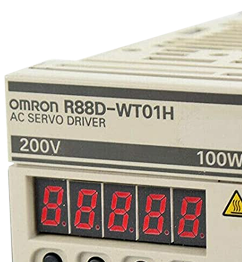
What type of display does this digital operator have?
The digital operator for this part features an LED display for clear and convenient monitoring of messages and statuses.
Can this part be used to control the frequency of a motor remotely?
Yes, the digital operator allows for remote frequency reference settings and ON/OFF operation control, making it suitable for applications where remote operation is needed.
Is this part suitable for use in different regions?
The digital operator is standard in Asia and Europe, indicating its suitability for a range of regional power supply standards and conditions.
What kind of protective functions does this part have?
This part includes protective functions such as electronic thermal overload relay for motor protection, overvoltage and undervoltage protection, and stall prevention during operation.
What are the environmental operating conditions for this part?
The part is designed for indoor use, with an operating temperature range of -10°C to 40°C, and should be used in environments free of corrosive gases and dust.
Can this part be used with a braking unit?
Yes, it can be used with a braking unit to reduce the deceleration time of the motor, although it's not required for inverters of certain capacities as specified in the datasheet.
What is the purpose of the DC reactor mentioned in the datasheet?
The DC reactor is used to control harmonics generated by the inverter and to improve the input power factor, enhancing the overall efficiency of the system.
What kind of applications is this part typically used for?
This part is commonly used in industrial settings for applications that require precise motor speed control, such as conveyor systems, fans, pumps, and other machinery.
How can I ensure the longevity of this part?
To ensure the longevity of the part, it should be installed and operated according to the specifications, within the appropriate environmental conditions, and with regular maintenance checks.
What should I do if I encounter an error or alarm on the display?
If an error or alarm is displayed, refer to the troubleshooting section of the manual for guidance on resolving the issue or consider consulting a professional for assistance.